Backups and restore
The WordPress backup plugin that proves its backups work.
A backup nobody has tested is a hope, not a plan. Stack Guard checks every backup before it counts, test restores the database, and restores with a swap you can undo. Included free.
How it works
From backup to verified restore in four steps
Most WordPress backup plugins tell you a backup finished. Stack Guard tells you it works.
- STEP 01
Back up in small steps
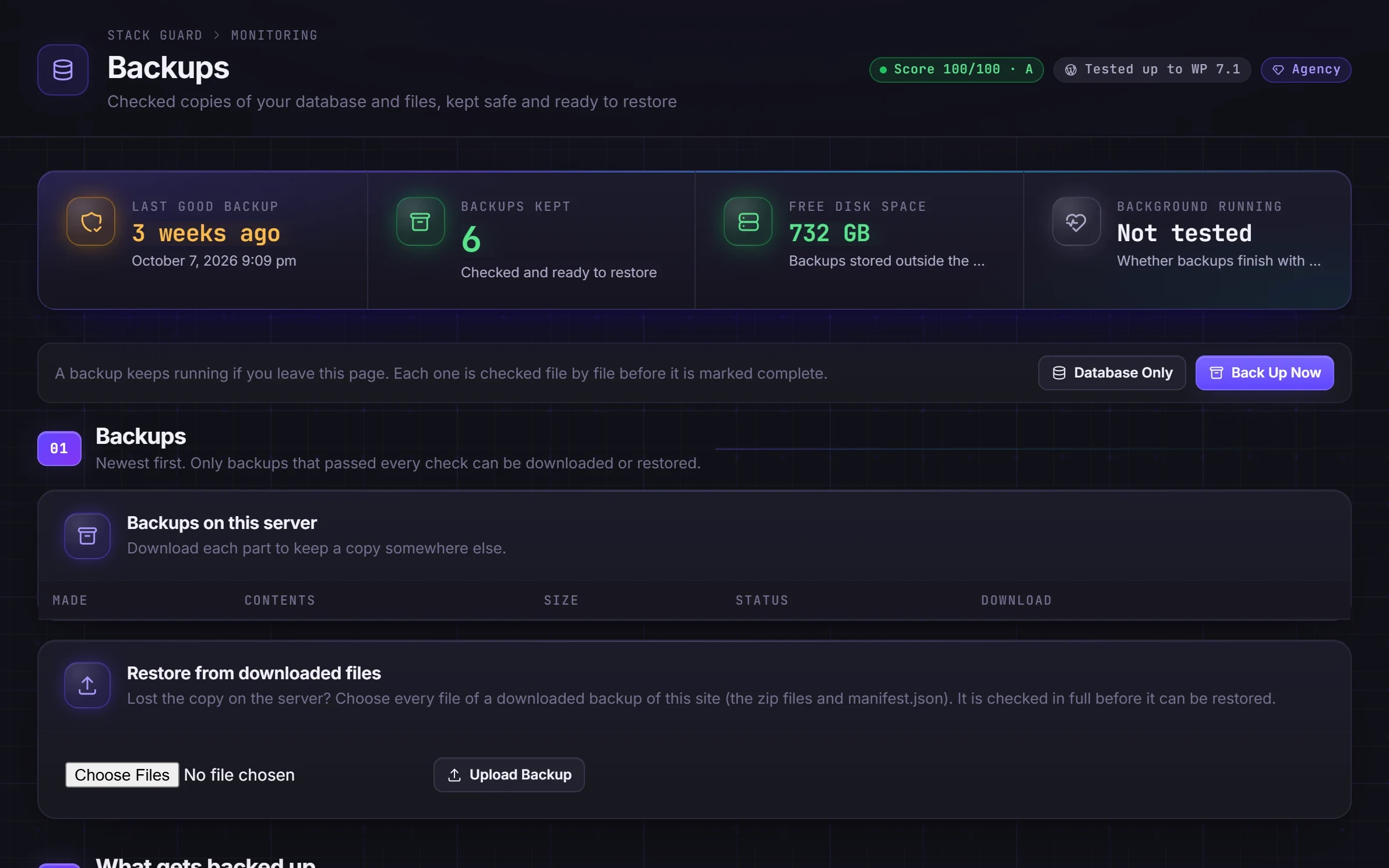
Full (database, wp-content and wp-config.php) or database only. Runs in short resumable steps in the background, so it finishes on hosts with short time limits and carries on if you close the page.
- STEP 02
Read it back and check it
Every archive is opened again and every file and database row is checked against what was written. Only a backup that passes is marked Verified.
- STEP 03
Test the restore
After each backup, the database is test restored into separate tables and every row counted, so you know it will come back.
- STEP 04
Restore, then keep or roll back
Everything is unpacked and checked before the live site is touched, then swapped in within seconds. Keep it, or roll back to just before the restore, for up to 7 days.
Restore without fear
A restore that cannot leave your site half broken
The site is either fully the old one or fully the restored one, never a mix. If PHP stops in the middle, the restore carries on or puts things back by itself.
- Restore the database, the files, or both, from any Verified backup
- A fresh backup of the site as it is now, made first by default
- The backup is unpacked and every database row counted before anything live changes
- Disk space, file integrity and database compatibility checked before it starts
- Common page caches cleared after the swap and after a roll back
- Keep the restore, or roll back to just before it, for up to 7 days
The details
Built for real WordPress sites
Ordinary zip files
Large sites are split into parts of up to about 4 GB. Each part is a standard zip that opens on any computer.
Restore from your own copy
Lost the copy on the server? Upload the downloaded parts. They are checked in full before they can be restored.
Every download is reported
Each download link is yours alone, while signed in, for one hour, and every download emails your alert recipients.
WP-CLI too
Check, keep or roll back a restore from the command line with wp stack-guard restore status, keep or rollback.
Coming to Pro
Off-site, scheduled and tested every month
The next phase of Stack Guard backups moves your copies off the server and puts them on autopilot.
Follow progress on the roadmap.
Google Drive
Backups go straight from your site to your own Drive, and restore from it. Stack Guard only ever sees the files it creates.
Schedules and retention
Back up on a schedule, keep as many as you choose, and get an alert if backups stop.
- Monthly automatic test restores (Pro)
- Use your own Google credentials (Agency)
Questions
WordPress backup plugin questions
What is the best free WordPress backup plugin?
The best free WordPress backup plugin is one whose backups you know will restore. Stack Guard checks every backup after it is made, test restores the database, and restores with a staged swap you can roll back for 7 days, all on its free plan.
Where are the backups stored?
On your own server, in a protected folder, ready to download. Download each part to keep a copy somewhere else. Google Drive backups are coming to Pro.
Can I use Stack Guard to migrate a WordPress site to a new domain or host?
Not yet. A backup can only be restored onto the same site address it was made from, so Stack Guard is for recovering a site, not moving it. Use a dedicated migration tool to move a site, then let Stack Guard protect it in its new home.
Do I still need my host's backups?
Keep them. Stack Guard backups live on the same server as the site, so download copies or, when it arrives, send them to Google Drive. Two independent backups are always better than one.
What does a restore never change?
wp-config.php, Stack Guard itself, your backups and their settings, and the activity log, so the record of what happened, including the restore, is never rewritten. Server add-on files such as object-cache.php are left alone too.
Will a restore clear my page cache?
Yes, for WP Rocket, W3 Total Cache, WP Super Cache, LiteSpeed Cache, SiteGround and WP Fastest Cache. A CDN such as Cloudflare is not cleared; purge it yourself after a restore.
Can I restore a backup made by another plugin?
No. Stack Guard restores its own backups, including ones you upload. A backup the site did not sign is scanned with the malware signatures first and needs your password to restore.
Make your first verified backup today.
Free, no account, no key. One click on the Backups tab.